Redesign or cosmetic update
An old colour or image does not necessarily justify rebuilding a website. Redesign becomes useful when visitors cannot find services, mobile navigation blocks tasks, content is difficult to maintain or the information architecture no longer reflects the business.
Start with the problem and evidence: session recordings, enquiries, search pages, support feedback or a technical audit. This prevents redesign from becoming a subjective swap between visual styles.
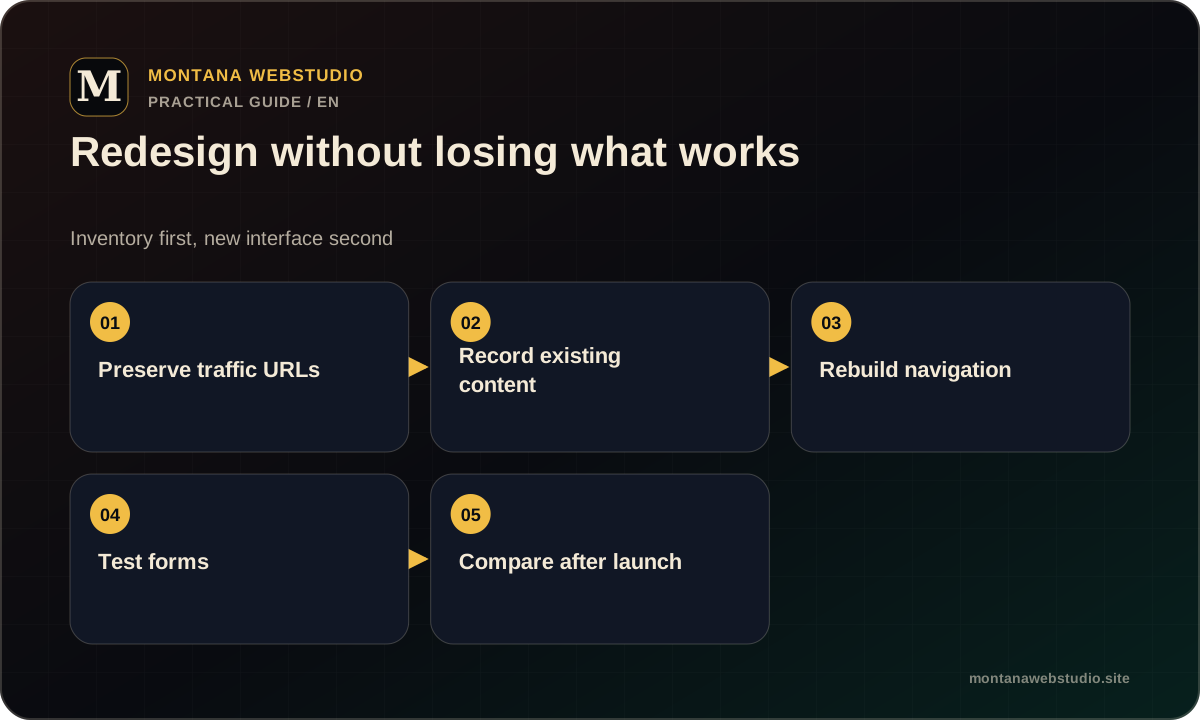
What a redesign should protect
Before design, inventory URLs, metadata, external links, pages with impressions, forms, analytics events and integrations. This shows what should not disappear accidentally.
Useful content may be rewritten or regrouped, but its intent and address need explicit treatment. When a URL changes, use a direct 301 mapping instead of redirecting every old page to the homepage.
- Priority URLs and search intent.
- Working forms and contact routes.
- Analytics events and the existing Google tag.
- Access, domain, hosting and editorial workflows.
What to audit before visual design
A content audit decides which pages stay, merge or need an update. A technical audit exposes CMS, performance, template and integration constraints.
A UX audit covers navigation, forms, readability, mobile states and accessibility. Together they create a decision list that can be checked after release.
| Area | Question |
|---|---|
| Business | Does the site reflect the current offer? |
| Content | Which URLs serve a distinct useful intent? |
| UX | Where can users not complete a task? |
| Technical | What makes support and releases difficult? |
How to release a redesign safely
Test the new version on staging with real content. A launch checklist should cover redirects, canonicals, sitemap, robots, forms, analytics, responsive states and 404s.
After cutover, review priority pages and logs. Keep the old version or backup available until critical journeys pass reliably.
- Approve the old-to-new URL map.
- Populate and test staging.
- Prepare redirects and rollback.
- Launch and repeat control journeys.
How to evaluate the result
A redesign is not measured only by a screenshot. Check whether the offer is clearer, forms are easier to complete, technical errors are reduced and important pages remain available.
SEO and conversion data need time and context. Not every change belongs to one release, but technical and UX acceptance criteria can be verified immediately.
Frequently asked questions
Can the existing CMS stay?
Yes, when it supports the new structure and editorial workflow without fragile workarounds.
Should every URL change?
No. Stable, relevant URLs should remain unless there is a strong reason to change them.
Will a redesign guarantee more enquiries?
No. It can remove defined barriers, but outcomes also depend on the offer, traffic and demand.