What website maintenance means
Maintenance keeps a website dependable after launch. It can cover backups, updates, forms, domain and SSL, integrations and priority pages, but the exact checklist depends on the platform.
A static website and a WooCommerce store require different routines. A useful plan names what is checked, how often, who receives alerts and what counts as an urgent incident.
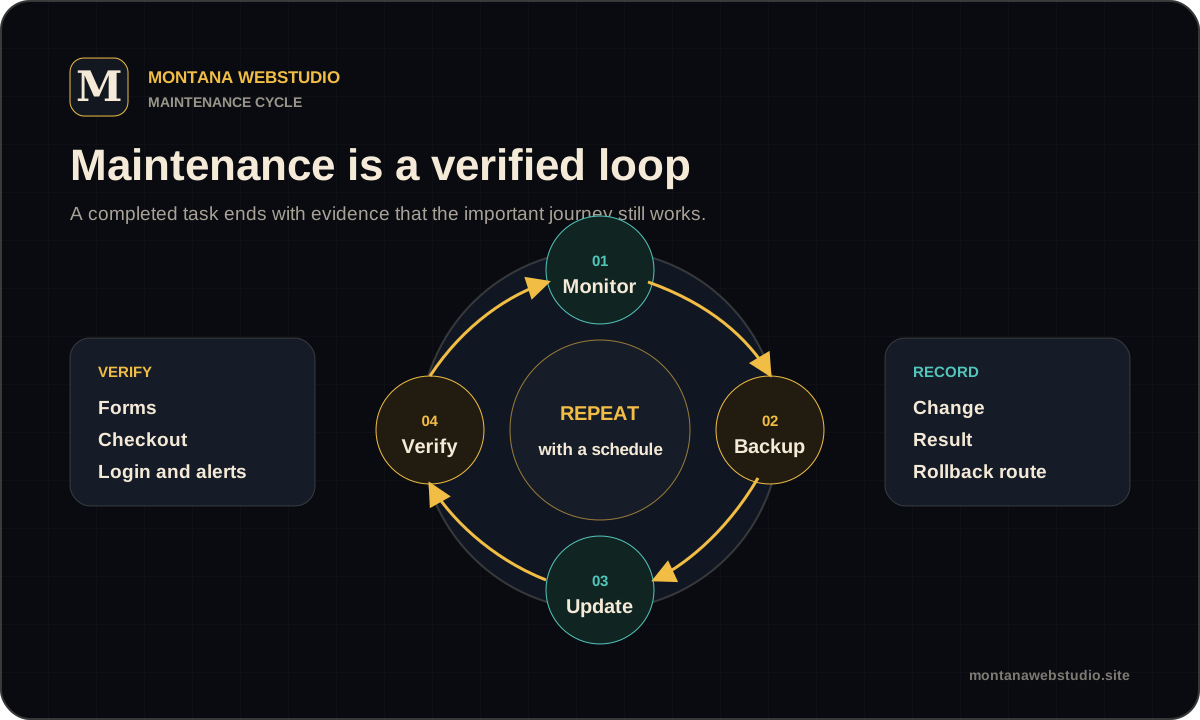
Planned maintenance work
Backups need a defined frequency, retention period and restore route. A file called “backup” is not evidence that recovery will work when needed.
CMS, theme and dependency updates should use staging or a tested rollback route. Verification must cover forms, checkout, login and other business-critical flows rather than only the homepage.
- Check HTTPS, domain and important service renewals.
- Verify forms and notification delivery.
- Update with a backup and rollback route.
- Review 404s, server errors and priority URL availability.
Responding to an incident
A useful incident report includes the URL, time, reproduction steps, screenshot and recent changes. This reduces diagnosis time and separates a site problem from browser, network or third-party failure.
Restore the critical journey first, then establish the cause and permanent fix. If an emergency workaround has limits, record them rather than presenting it as complete.
- Confirm the symptom and user impact.
- Collect logs and recent changes.
- Isolate the cause on staging or a copy.
- Fix, verify and document the result.
What maintenance should not hide
A full redesign, new application module or platform migration is a separate project even when the same developer performs it. Each needs its own scope and risk review.
Maintenance also does not replace editorial work, SEO strategy or campaign management. These disciplines can interact, but they produce different outcomes.
| Task | Appropriate format |
|---|---|
| Repair a form | One-off support |
| Update and verify WordPress | Planned maintenance |
| Rebuild every template | Redesign or development |
| Move CMS and URLs | Separate migration project |
How to define a maintenance plan
Start with the journeys whose failure harms the business: enquiry, payment, login, booking or product import. Define an acceptable response time and the evidence used to check them.
After an audit, choose one-off support or a recurring plan. A stable small site does not need an inflated package, while a store processing daily orders requires closer control.
Frequently asked questions
Does a static website need maintenance?
Yes, although less frequently. Domains, SSL, forms, analytics, dependencies and content changes still need control.
Can support be billed per task?
Yes. One-off work suits websites that do not require a guaranteed response window.
Are backups included?
A backup should be part of any risky change; the exact method depends on the host and CMS.