What counts as an SEO migration
Risk appears when a domain, CMS, protocol, host, URL structure or a large part of the templates and content changes. Search systems need to understand where every useful page has moved.
Even if the visual design remains the same, routing or canonical changes can affect indexing. Build the technical plan before launch.
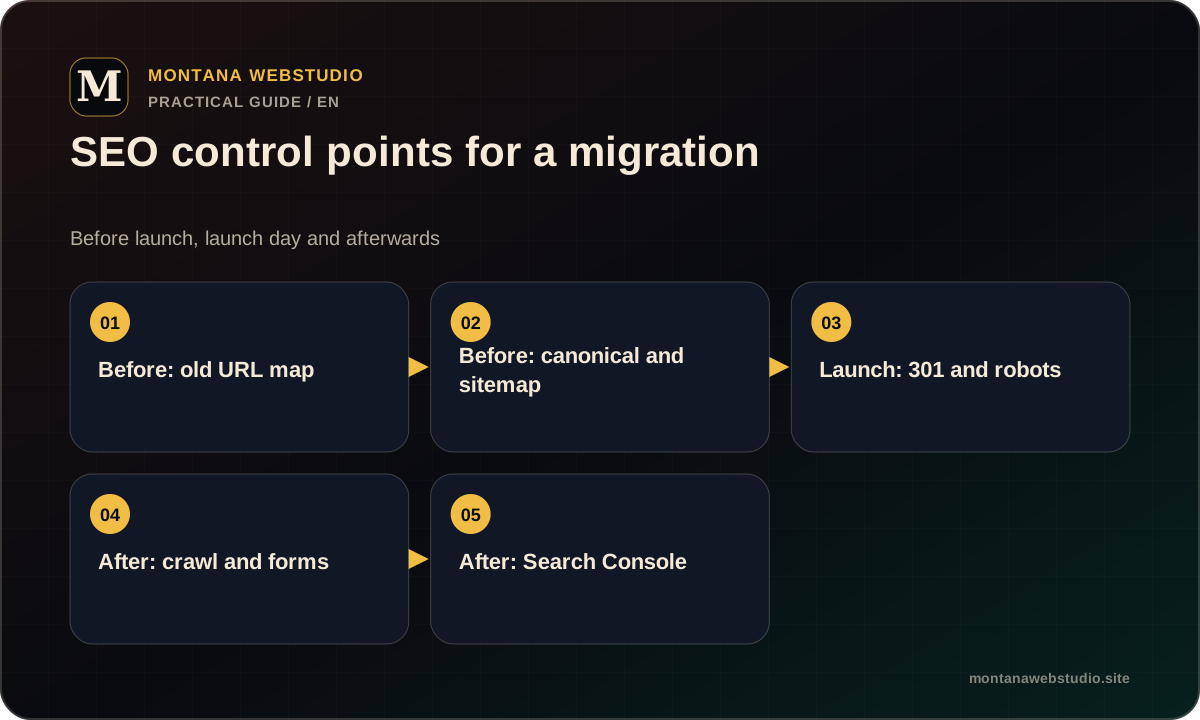
Before launch: inventory and baseline
Build a complete list of indexable URLs from the sitemap, a crawl, Search Console, analytics and server logs. Mark pages with traffic, external links, conversions and translation equivalents.
Record status, title, canonical, robots, hreflang and structured data. This becomes a baseline for post-launch comparison rather than an unused spreadsheet.
- URL and primary intent.
- Target URL or KEEP/MERGE/REMOVE decision.
- Current canonical and indexability.
- Internal and external incoming links.
URL mapping and 301 redirects
Every valuable old URL should point to its closest equivalent. Redirecting everything to the homepage creates a poor experience and loses page context.
Avoid chains: an old URL should reach the final destination directly. When no useful equivalent exists, an honest 404 or 410 may be better than an unrelated redirect.
| Old state | Decision |
|---|---|
| URL remains | KEEP with self-canonical |
| Direct replacement exists | 301 to final URL |
| Two pages merge | 301 both to a useful consolidated page |
| No equivalent exists | Assess 404/410 and remove links |
On launch day
Check HTTPS, redirects, canonicals, robots.txt, sitemap, hreflang, assets and server-readable content. Forms and analytics also matter: a migration should not create a site that is crawlable but commercially broken.
The new sitemap includes canonical, indexable URLs only. Old URLs do not belong there simply to accelerate redirects.
- Run a control crawl.
- Verify priority redirects manually.
- Confirm target pages are not noindex.
- Submit the current sitemap in Search Console.
After launch: monitor and correct
During the first days, review 404s, 5xx responses, redirect chains, canonical issues and enquiries. Monitor indexing, pages and sitemap reports in Search Console, remembering that reports are delayed.
Compare against the baseline by page group. If a priority URL drops out, check availability, canonical, robots, internal links and redirects before creating another page.
- Do not refresh every lastmod without real content change.
- Do not close the old server before stable verification.
- Do not change several systems without a release log.
Frequently asked questions
Do 301 redirects guarantee rankings will remain?
No, but direct relevant redirects reduce controllable risk and preserve the context of the old URL.
How long should redirects remain?
Long term. Old links and bookmarks may continue to be used for years.
Should the sitemap change before launch?
Prepare it in advance, then publish the current version with the new canonical URLs at launch.