Discovery, crawling and indexing are separate steps
Google first needs to discover a URL through an internal link, sitemap or external source. A crawler may then fetch the HTML. Only after processing does Google decide whether the page belongs in the index and which URL should be treated as canonical.
That is why “URL is unknown to Google” differs from “Crawled — currently not indexed.” The first often points to discovery; the second means Google has seen the page but has not selected it for the index or has not completed processing.
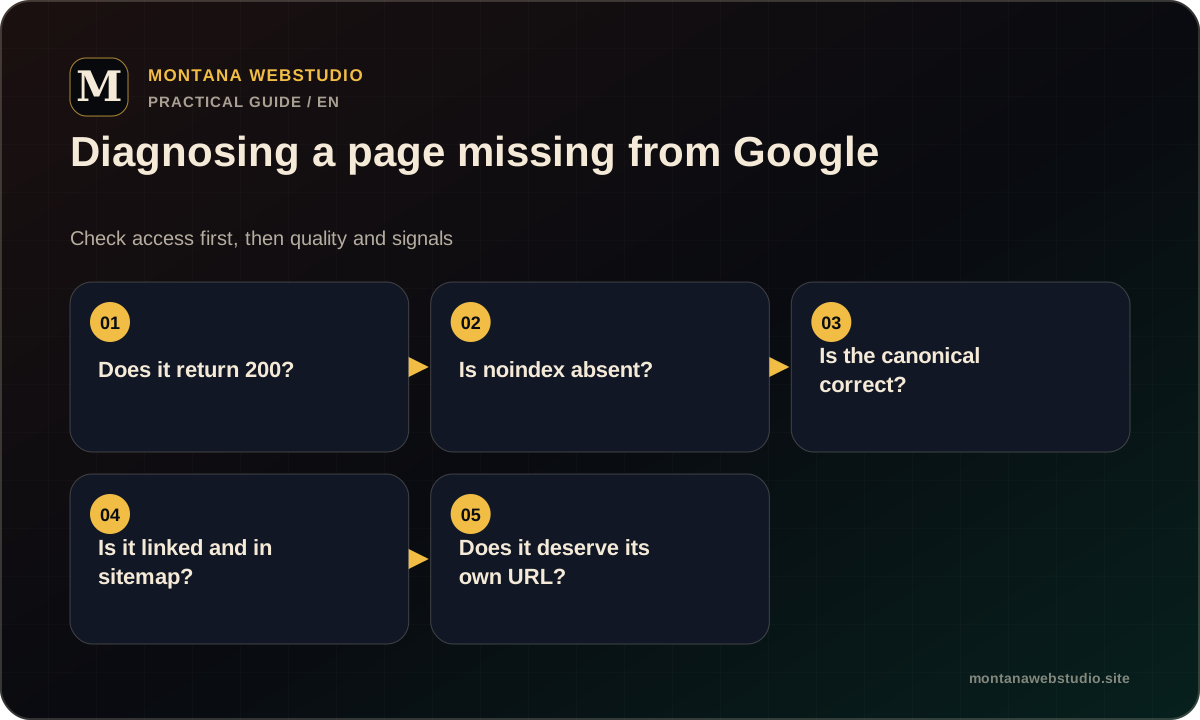
Check technical blocks
Open the URL without signing in and confirm the response status. An indexable page should not return 404, 5xx or a redirect loop. Its HTML and HTTP headers should not contain noindex.
Robots.txt must allow the relevant path. When crawling is blocked, Google may know the URL without being able to read it. Also check whether the canonical points elsewhere, because a duplicate URL may intentionally be excluded in favour of another page.
- A 200 response for the intended page.
- No meta robots noindex or X-Robots-Tag: noindex.
- Robots.txt allows the page and required resources.
- The canonical identifies the correct preferred URL.
- Primary content does not depend on an action Googlebot cannot complete.
Help search engines discover the page
Add the canonical URL to the XML sitemap and verify that the sitemap is accessible. Do not rely on it alone: the page should receive natural internal links from relevant sections. A page that nothing links to is isolated for both crawlers and users.
Use link text that explains the destination. “Technical SEO checklist” carries more context than “learn more” when that is the article a visitor will open.
Evaluate uniqueness and usefulness
Technical access does not guarantee indexing. A page that repeats another URL, contains only generic paragraphs, behaves like a thin filter or exists solely for a keyword variation may not justify a separate result.
Compare it with indexed pages on the same site. It should satisfy a distinct intent, use a clear H1, provide enough context, offer a useful structure or examples and connect to the rest of the journey. Consolidating weak duplicates is often better than trying to index all of them.
How to inspect the URL in Search Console
URL Inspection shows whether Google knows the address, whether crawling and indexing are allowed, the declared canonical and the canonical selected by Google. After a fix, test the live URL before requesting indexing for a priority page.
Do not submit the same unchanged URL every day. A repeated request does not remove the underlying issue. New websites can have a normal delay between publication, crawling and appearance in results. Use the full technical SEO launch checklist to review the surrounding signals.
| Status | Meaning | First action |
|---|---|---|
| URL is unknown to Google | The address has not been discovered | Add an internal link and sitemap entry |
| Blocked by robots.txt | Crawling is disallowed | Review the rule affecting the path |
| Alternate page with canonical | Another URL is preferred | Review duplicates and canonical signals |
| Crawled, not indexed | Processed without index selection | Assess value, duplication and context |
| URL is on Google | The page is indexed | Monitor impressions and queries |
Frequently asked questions
How long does Google take to index a new page?
There is no fixed time. Discovery and processing can take longer on a new or rarely updated website than on a site that is crawled frequently.
Do I need to submit every page manually?
No. Strong internal linking and an XML sitemap allow automatic discovery. Manual inspection is useful for priority URLs and diagnosis.